

HNSW Index
Hierarchical Navigable Small World
A graph-based index and the go-to choice for low-latency approximate nearest neighbor search — delivering state-of-the-art speed and recall at the cost of higher memory usage
How It Works
HNSW builds a multi-layer graph structure where each node represents a vector and edges connect nodes based on similarity.
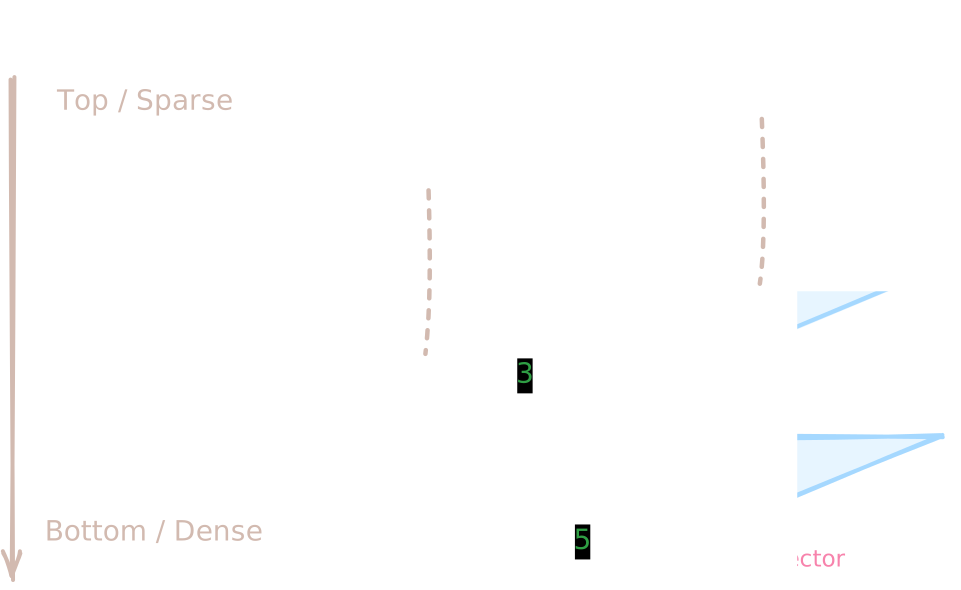
- Layers form a hierarchy 🪜
- Upper layers are sparse and act as "highways" for fast long-range navigation.
- Lower layers are dense and provide fine-grained local neighborhood connectivity.
- How search works (coarse → fine) 🔍
- Start from an entry point at the top layer.
- At the current layer, you greedily walk to neighbors that are closer to the query vector, until you can't get any closer.
- Then you drop down one layer at that position and repeat the same greedy search.
- On the lowest layer, this process is done more carefully (with a small candidate list) to refine the result.
- Why this is fast and accurate ⚡ 🎯
- Fast: Upper layers let you jump quickly to the right region without visiting most points.
- Accurate: The dense bottom layer lets you explore the local neighborhood thoroughly, so recall stays high.
When to Use an HNSW Index?
- ✅ Real-time, low-latency applications (e.g., conversational AI and live recommendations)
- ✅ Production systems requiring consistent high recall with minimal latency
Best Practice: HNSW is our recommended default for most production use cases. It strikes an excellent balance between speed, accuracy, and robustness.
Advantages
- ✨ Near-logarithmic query time — Typically O(log n) for large datasets
- ✨ Consistently high recall across diverse data distributions
- ✨ Faster indexing than many alternatives (e.g., IVF-based methods)
Trade-offs
- ⚠️ Higher memory footprint — Graph links require additional storage (scales with
m) - ⚠️ Indexing complexity of O(n log n) — Slower build time than Flat index (but often faster than IVF)
Key Parameters
Tuning Tip:
Start with defaults, then adjust ef first for recall/latency trade-offs.
Only if needed, increase ef_construction or m for better accuracy — but expect slower indexing and higher memory use.
Index-Time Parameters
| Parameter | Description | Tuning Guidance |
|---|---|---|
metric_type | Similarity metric used to compare vectors | Choose based on how your embeddings were trained |
m | Max neighbors per node — The maximum number of bidirectional links created for each node during graph construction | • Higher m → ✨ better recall and graph connectivity ⚠️ more memory usage and higher latency for both indexing and search |
ef_construction | Index-time candidate pool size — Determines how many neighboring candidates the algorithm considers when inserting a new vector into the graph | • Higher ef_construction → ✨ better graph quality and higher recall ⚠️ longer index build time (does not affect query speed) |
quantize_type | Vector quantization method to apply Defaults to no quantization | See Quantization for more details |
Query-Time Parameters
| Parameter | Description | Tuning Guidance |
|---|---|---|
ef | Query-time candidate pool size — Determines how many potential neighbors are explored at each step during graph traversal at query time | • Higher ef → ✨ higher recall ⚠️ higher query latency |
radius | Distance (similarity) threshold for range-based filtering — only documents satisfying the threshold are returned | Example: • With inner product MetricType.IP, set radius=0.6 to keep only results with score > 0.6 ✅ Use when: You want to filter out low-quality matches 🚫 Skip when: You want all top-k results, regardless of quality |
is_linear | Forces a brute-force linear search instead of using the index | 🐌 Very slow for large datasets! ✅ Only use for: Debugging, tiny collections, or verifying index accuracy |
is_using_refiner | Enables exact score refinement (recomputes exact similarity scores) for top candidates — useful when vectors are quantized | ✅ Turn on: When you need higher accuracy ⚠️ Adds latency due to exact re-scoring |