Zvec Officially Supports Windows: Local Vector Search Across All PCs
Zvec is an open-source, in-process vector database. It's lightweight and blazing fast, built to embed directly into applications — no servers, no daemons, no external infrastructure. With minimal setup, it delivers production-grade similarity search with low latency at scale.
- Repository: https://github.com/alibaba/zvec
- Quick start: https://zvec.org/en/docs/db/quickstart
With version 0.3.0, Zvec is now on Windows.
Completing the PC Story
Most AI workflows today ship for Linux or macOS only. Those platforms are where developers debug, where servers deploy, and where the ecosystem is most mature. But Windows is still the world's most-used operating system, and a huge share of everyday personal computing happens there. If local vector search is going to become a basic capability on the PC, Windows can't be left out.
With 0.3.0, Zvec covers all major desktop platforms: Windows, macOS, and Linux. For a local, in-process vector database, that's a meaningful step toward truly cross-platform local vector search.
Zvec's goal is simple: let applications embed vector search directly into the local process. Your data stays on the device. The index lives on the device. Search runs on the device — on every device, across every platform.
Local Image-and-Text Search with Obsidian + Zvec
To make this concrete, we built an Obsidian plugin[1].
Obsidian is a Markdown-based note-taking app with bidirectional links, and its built-in search relies on keyword matching against filenames and content. Our plugin builds on the open-source obsidian-sonar[2] project and adds image search[Note], so text and images flow through the same local semantic pipeline. With Zvec replacing the original brute-force matcher, Obsidian gains two new ways to search: a relevance-based command palette search, and a sidebar that surfaces related notes automatically as you write. (The demos below use the CS-Notes[3] vault.)
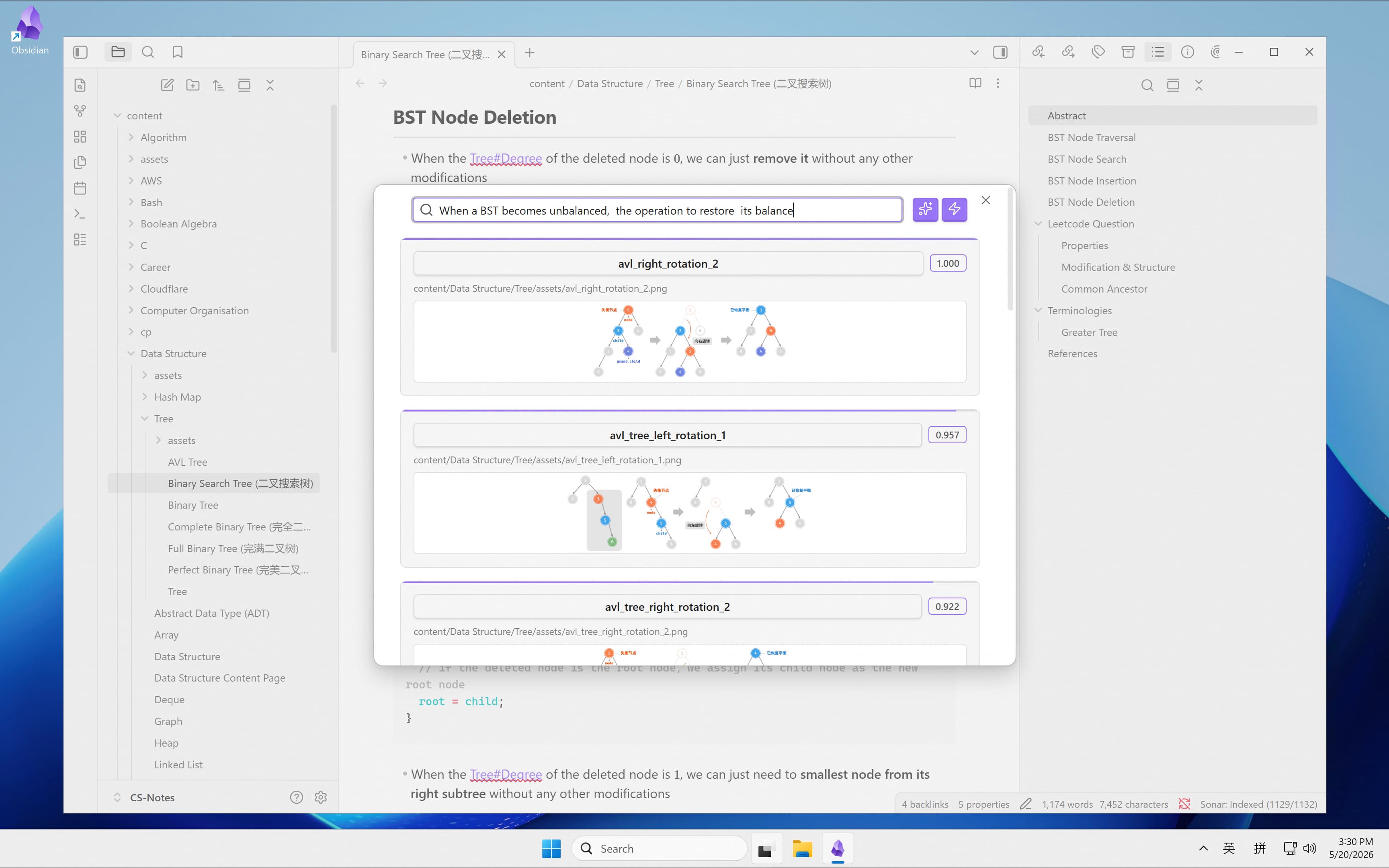
For instance, open the Semantic Note Finder from the command palette and type a description of an unbalanced binary search tree:
When a BST becomes unbalanced, the operation to restore its balance
Even without typing terms like "AVL" or "rotation," the plugin reads the intent from "BST becomes unbalanced" and "restore its balance" — and surfaces the existing AVL rotation diagram from your notes. Images in your local knowledge base are no longer just attachments buried in folders; they're part of search too.
Open the Related Notes View in the sidebar, and a different pattern shows up. Suppose you're writing a troubleshooting note:
今天排查一个容器网络问题:应用在容器里能正常请求公网 API,但另一个容器连它的时候总是超时。奇怪的是,端口映射看起来没问题,宿主机上也能看到对应的监听。
初步怀疑问题出在容器自己的网卡、宿主机网卡,以及中间那层虚拟网桥之间。
Translation:
Debugging a container networking issue today: an app inside one container can hit public APIs just fine, but another container times out trying to reach it. Port mapping looks correct, and the listener shows up on the host.
My guess is the problem sits somewhere between the container's NIC, the host's NIC, and the virtual bridge between them.
The plugin watches the context around your cursor and pulls relevant material from your local vault. It surfaces older Docker networking notes, and it surfaces docker_bridge_network.jpg — a network architecture diagram you saved earlier — right when you need it.
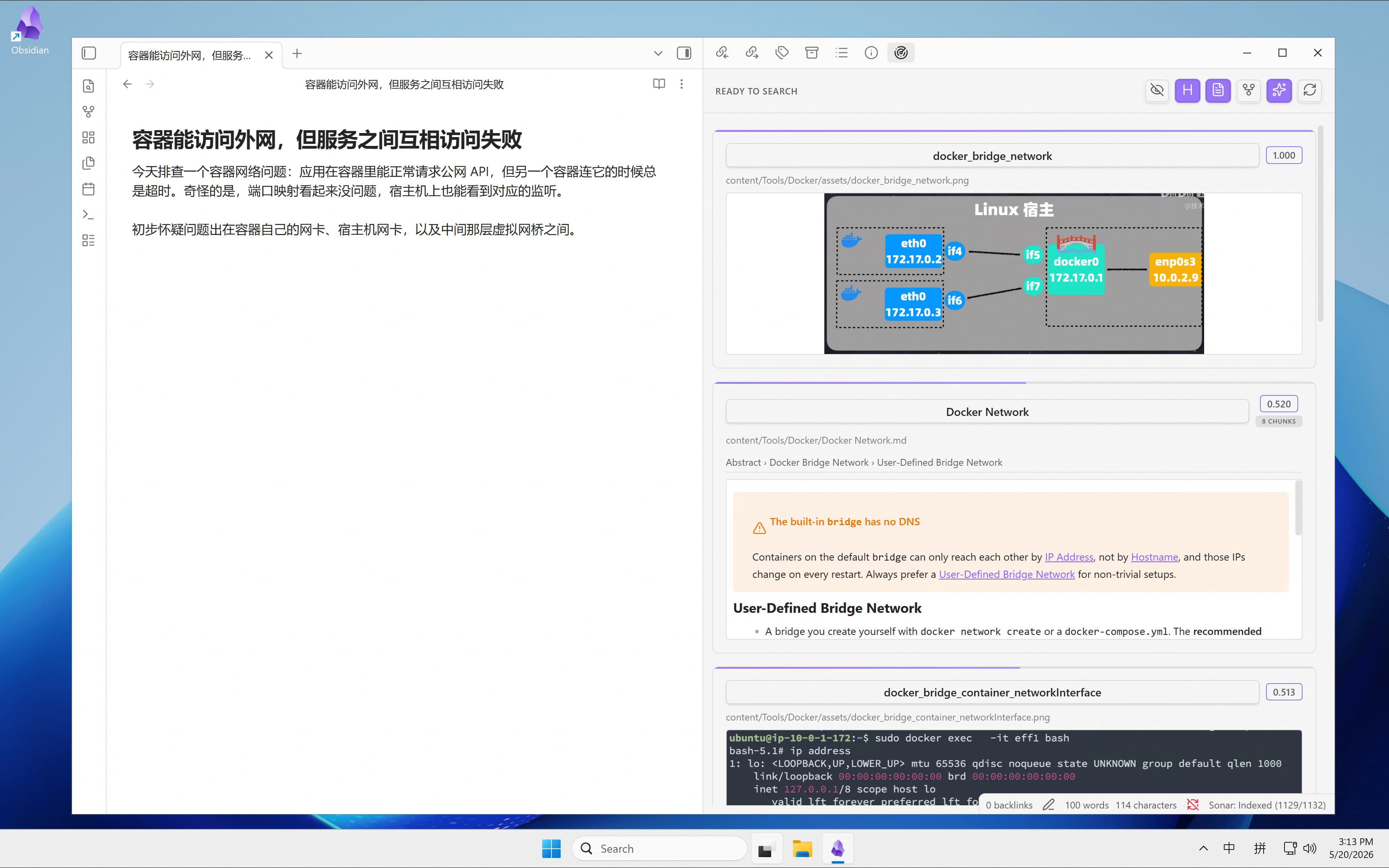
It feels less like search and more like a local context layer. As you write a new entry, the diagrams, notes, and screenshots you organized months ago come back within reach — without you having to remember filenames or tag images ahead of time.
The Local Wiki Is Going to Matter More
This direction echoes Andrej Karpathy's recent LLM Wiki[4] idea: have the LLM gradually distill raw material into a continuously maintained Markdown wiki, so knowledge accumulates in your local file system and future work grows from what's already there.
As local wikis grow, they're going to need a retrieval layer that's both lightweight and local — not just a single index file inside the wiki. Text, images, screenshots, code snippets, old notes — all of it should be instantly recallable from inside the app.
Local-First Desktop Workflows
The bigger picture: we want local semantic search to live inside real desktop workflows.
- Pull up similar notes while you're writing
- Find related screenshots while you're organizing
- Connect text and images by meaning across your personal knowledge base
- Turn local content into searchable context — without uploading anything
That's why "all of PC" matters. macOS has creators and developers. Linux has engineering and research. Windows has the vast majority of everyday desktop usage. Local-first vector search only becomes a real building block for desktop apps once it runs on all three.
One Experience, Every Platform, Every Language
With Windows support landed, Zvec's desktop bindings work the same way everywhere:
| Windows | macOS | Linux | |
|---|---|---|---|
| C / C++ | ✓ | ✓ | ✓ |
| Python (pip) | ✓ | ✓ | ✓ |
| Node.js (npm) | ✓ | ✓ | ✓ |
Installation is identical across platforms.
Python:
pip install zvecNode.js:
npm install @zvec/zvecNo compiling C++ from source. No fighting with build toolchains. Same command, every platform.
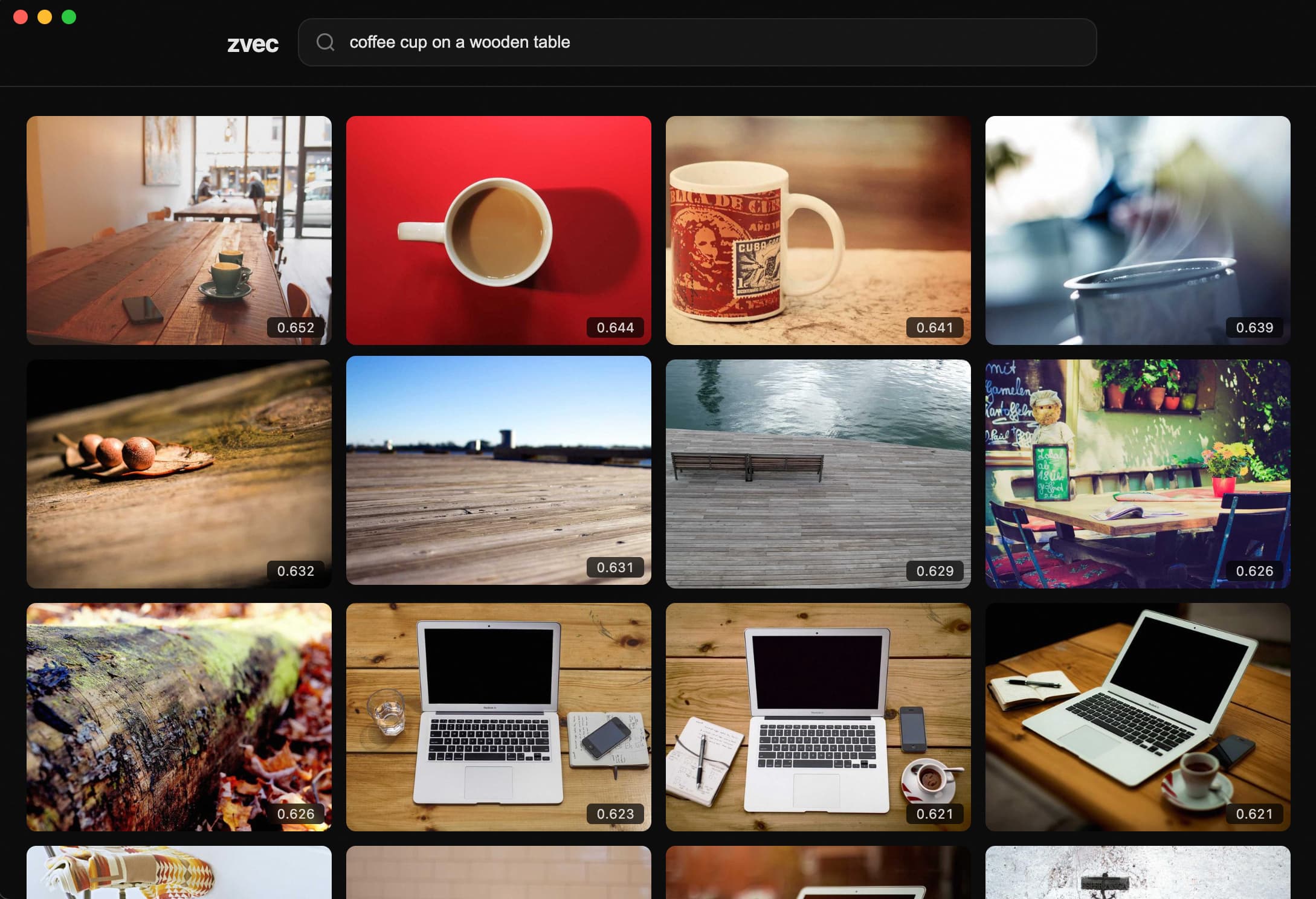
Node.js demo on macOS[5]
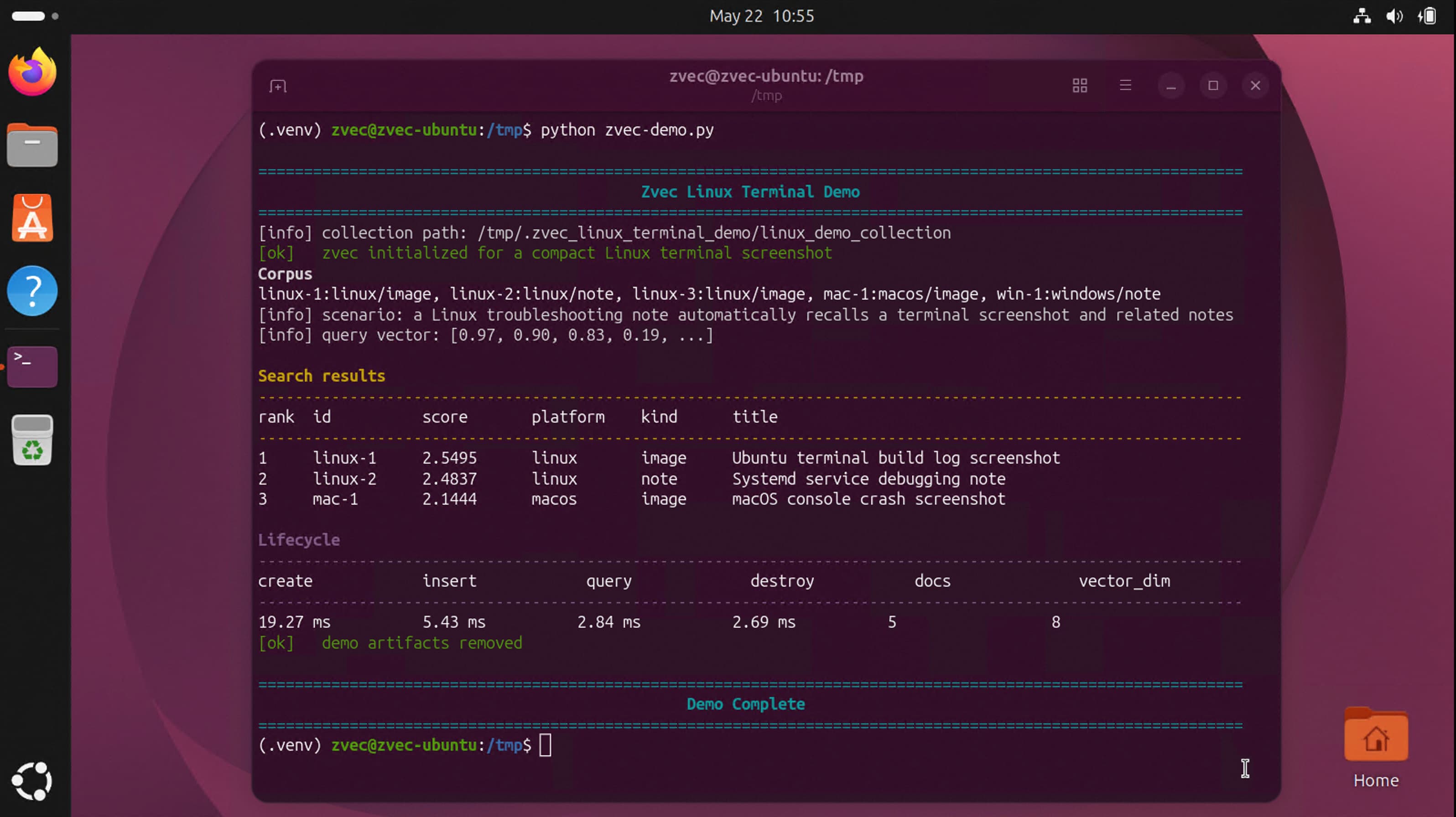
Python demo on Linux[6]
What's Next
Zvec 0.3.0 runs on Windows, macOS, and Linux today. In the upcoming 0.4.0, we've already moved beyond the PC: Flutter/Dart SDKs for Android and iOS are shipping next. We'll keep refining the cross-platform story until Zvec runs everywhere.
This is just the beginning. Once a vector database can slip naturally into every device and every local process, a lot of product ideas open up.
Your notes are local. Your images are local. Your knowledge base is local. Your search should be local too — on every platform, on every device you own.
Note: llama.cpp doesn't yet support multimodal inference for the qwen3-vl series, so the current demo uses the Bailian API for that step while Zvec handles local indexing and retrieval. We'll switch to a fully local pipeline once upstream support lands.
References:
- [1] https://github.com/JalinWang/obsidian-sonar
- [2] https://github.com/aviatesk/obsidian-sonar
- [3] https://github.com/xy-241/CS-Notes/
- [4] https://gist.github.com/karpathy/442a6bf555914893e9891c11519de94f
- [5] https://github.com/feihongxu0824/zvec-electron-image-search
- [6] https://gist.github.com/JalinWang/d98604669018c2999eabf32c23299528